
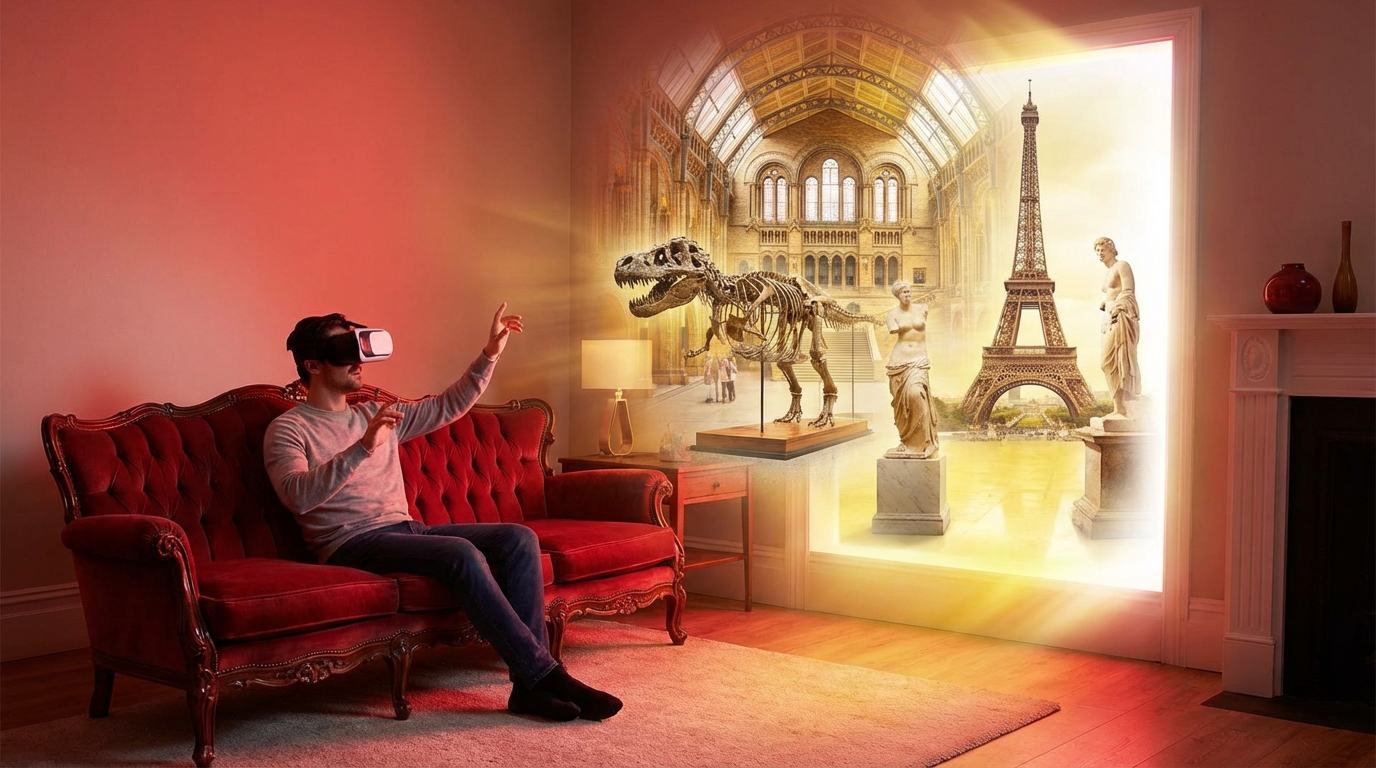
It is not always easy to stay curious and connected when getting out of the house feels hard, tiring, or even risky. Many of us miss the feeling of standing in front of a beautiful painting or walking through a quiet museum hallway, but our bodies or our caregiving schedule do not always let us do that as often as we would like.
The gentle truth is that we can still explore art, history, and culture from home. Virtual museums let us “walk” through galleries on a screen, listen to audio guides, zoom in on tiny details, and share the experience with a loved one on the couch. With a simple device and an internet connection, we can visit museums across the world without worrying about stairs, long lines, or long car rides.
Virtual museum visits cannot replace the warmth of being there in person, but they can bring color, curiosity, and conversation back into a home where daily life sometimes feels heavy or repetitive.
Virtual museum tours can be especially calming and meaningful for caregivers, older adults, and people with disabilities. They give us something pleasant to look forward to, something to talk about that is not medication or appointments, and a way to keep the mind engaged when the body needs rest.
Below, we will look slowly and carefully at what virtual museums are, how to access them, how they can support emotional and cognitive health, and how caregivers can turn them into shared routines and gentle activities.
What is a Virtual Museum Tour?
A virtual museum tour is a way to explore museum spaces, artworks, and exhibits through a computer, tablet, smartphone, or sometimes a virtual reality headset. Instead of moving our legs through the gallery, we move a mouse or tap the screen.
Most virtual museum experiences fit into one or more of these types:
- 360-degree tours: You “stand” in a spot and turn around the room with your mouse or finger to look in every direction, as if you were actually in the gallery.
- Interactive floor plans: A map of the museum lets you click on rooms or exhibits to see photos, videos, or short descriptions.
- High-resolution image galleries: Large, clear pictures of artworks that you can zoom into very closely, sometimes closer than in person.
- Video walkthroughs: A guide walks through the museum on camera, explaining what you are seeing, so you just relax and watch.
- Virtual reality (VR) experiences: If you have a VR headset, you can feel more “present” inside the museum, turning your head to look around.
For people with mobility challenges, chronic illness, or sensory sensitivities, virtual museums can remove barriers that often make in-person visits stressful or impossible.
Why Virtual Museums Matter for Caregivers and Homebound Visitors
Caregivers often carry a quiet grief about the things their loved one can no longer do. Trips that once felt simple, like a day at the museum, now require planning, energy, and sometimes medical support that is hard to manage.
Virtual tours soften that loss a bit. They open a door that felt closed.
They can help with:
| Need | How Virtual Museums Help |
|---|---|
| Limited mobility or fatigue | You can visit at your own pace, sit or lie down comfortably, and stop whenever needed. |
| Sensory overload or anxiety in crowds | No noise, no crowds, no rushing. You choose the pace and the volume. |
| Isolation and loneliness | Shared experiences and conversation topics that are light and interesting. |
| Cognitive decline or memory loss | Gentle visual stimulation and familiar images can prompt memories and stories. |
| Caregiver burnout | A simple, low-effort activity that can be soothing for both caregiver and care receiver. |
Emotional and Cognitive Benefits of Virtual Museum Visits
Before we talk about devices and websites, it helps to remember why this matters at all. For many of us, caregiving days are full of tasks: bathing, lifting, calling pharmacies, cooking, cleaning. There is not much space left for beauty or curiosity.
Virtual museums can bring some of that back.
Emotional Comfort and Stress Relief
Looking at art or calming spaces can ease stress and brighten the mood. Research on “art and health” suggests that viewing art, even on a screen, can:
- Lower feelings of tension and anxiety
- Improve mood, especially when the images are pleasant or meaningful
- Create a sense of connection with the wider world
For a person who spends most of the day in one room, seeing a sunlit gallery, a painting of a garden, or an ancient sculpture can feel like a window opening.
Sometimes, the real gift is not the artwork itself, but the shared moment of looking together, pointing things out, and saying, “What do you see?”
Support for Memory and Thinking
Our brains like to be gently challenged. Virtual museum visits can support:
- Attention: Tracking details in an image helps the brain focus.
- Memory: Recognizing famous places or artworks can bring back memories.
- Language: Talking about what you see encourages conversation and word-finding.
- Curiosity: Small questions (“Who painted this?”, “Where is this building?”) wake up interest and learning.
For people living with dementia, virtual museums can be used in a “reminiscence” style. For example, if someone grew up near a famous church or city, you can search for that place in an online collection and look at images from that region. This may gently invite stories.
Sense of Identity and Dignity
Caregiving and illness can make a person feel like they are only a “patient.” Museums remind us that we are more than that. We are people with tastes, opinions, and histories.
Virtual museums can help a person feel:
- “I am still someone who enjoys learning.”
- “My culture and background matter and are visible in the world.”
- “I can still make choices about what I want to see and think about.”
Choosing which museum to visit, which room to explore, or which painting to zoom in on can be a small but real act of control for someone whose daily life often feels restricted.
Types of Virtual Museum Experiences and What They Feel Like
Every virtual museum offers something a little different. It can help to understand what each type feels like so you can match it to your loved one’s needs, abilities, and interests.
360-Degree “Street View” Style Tours
Many museums partner with mapping tools or use their own software to create 360-degree hallway views. You click arrows on the floor to “walk” forward, and you drag the screen around to look up, down, and side to side.
For some people, this feels exciting and immersive. For others, it can feel confusing or tiring, especially if fine hand movements are hard.
These tours are often:
- Good for: People who enjoy the feeling of “being there” in the building, and who find navigation fun.
- Challenging for: People with visual-spatial difficulties, vertigo, or limited ability to click and drag.
Curated Online Exhibitions
Some museums create online exhibitions with a clear path. You scroll down a page or click “next” to move through a story with images, text, and sometimes short videos.
These are:
- Good for: People who prefer a slower, guided experience with less clicking around.
- Challenging for: People who are easily overwhelmed by a lot of text.
High-Resolution Art Collections
Digital collections let you search for an artist, culture, object type, or time period. You can click on each item for a large image and a description.
These are:
- Good for: People who like to focus on one artwork at a time and zoom in on details.
- Challenging for: People who have trouble with complex menus or typing search terms.
Video Walkthroughs and Docent Talks
Many museums upload guided tours to platforms like YouTube. A curator or guide walks through the exhibit, and you simply watch and listen.
These are:
- Good for: People who like to sit back and be “toured” without interacting with the screen.
- Challenging for: People who have trouble focusing on longer videos without breaks.
Virtual Reality (VR) Museum Visits
If you have access to a VR headset, there are museum apps that let you feel more physically present in the museum. You can turn your head instead of dragging a mouse.
VR can be:
- Good for: Tech-comfortable users who enjoy immersion and have no motion sickness.
- Challenging for: Older adults with neck pain, balance issues, or motion-triggered nausea.
For many caregiving households, a simple tablet or laptop provides more than enough access, and VR is not necessary.
How to Get Started: Devices, Access, and Comfort
We do not need fancy equipment to enjoy a virtual museum. What matters most is comfort, both physical and emotional.
Choosing the Right Device for Your Situation
Here is a simple comparison to help you choose:
| Device | Strengths for Virtual Museums | Possible Drawbacks |
|---|---|---|
| Smartphone | Portable, easy to hold in bed or chair, simple apps. | Small screen can strain eyes, harder for shared viewing, taps need fine motor control. |
| Tablet (iPad or similar) | Larger screen, touch controls, comfortable for shared viewing on couch or bed. | Heavier to hold; you might need a stand; cost can be higher. |
| Laptop | Good screen size, keyboard and trackpad or mouse, easy to place on table. | Less portable for someone in bed; trackpad can be tricky for some. |
| Smart TV or streaming device | Very large screen, easy for group viewing, good for video tours. | Interactive features limited; harder to “click around” a 360 tour. |
If your loved one has limited hand strength or tremors, a larger screen on a stand, with you handling the controls, often works best.
Making the Space Physically Comfortable
A short set-up can make the experience more peaceful:
- Place the device at eye level to reduce neck strain.
- Use a cushion or adjustable stand so the person does not need to hold the device for long.
- Dim harsh lights and reduce background noise if that feels calming.
- Have glasses, hearing aids, and any needed assistive devices handy.
- Keep a blanket or a warm drink nearby so the person feels cozy and relaxed.
Accessibility Settings That Can Help
Many devices have built-in settings that support people with visual, hearing, or motor challenges. Before your first “visit,” you might quietly adjust:
- Text size: Increase font size in browser or system settings.
- Zoom: Turn on screen magnification for small text.
- Contrast: Choose a high-contrast mode if low vision is present.
- Captions: Turn on captions for videos to support hearing or processing challenges.
- Mouse or touch sensitivity: Adjust so small twitches do not cause big jumps.
If your loved one uses a screen reader, you may want to test a few museum sites first; some are more accessible than others.
Finding Virtual Museums and Tours
There are many choices, which can feel overwhelming at first. It helps to start with just a few, then slowly branch out.
Museums with Well-Known Virtual Offerings
Here are some museums known for accessible virtual content. You can search their official websites for “virtual tour” or “online collection.”
- British Museum (London): Offers interactive timelines and high-quality images of objects from many cultures.
- Louvre Museum (Paris): Has virtual tours of certain galleries and a large online collection of artworks.
- Metropolitan Museum of Art (New York): Provides online exhibits, high-resolution images, and educational videos.
- Smithsonian museums (United States): Many branches have 3D tours and family-friendly online resources.
- Van Gogh Museum (Amsterdam): Offers detailed views of Van Gogh’s paintings and letters.
- Local museums near you: Many smaller museums now offer virtual exhibits; searching your city name plus “museum virtual tour” can lead to pleasant surprises.
If you care for someone who misses their home country, you might search for museums in that country, in their own language, which can feel familiar and comforting.
Using Aggregator Platforms
Some platforms gather virtual tours from many museums into one place. You can explore by country, artist, or theme.
Examples include:
- Large map-based platforms that let you click on museums around the globe to see available tours or images.
- Video platforms where museums host playlists of guided tours, lectures, and exhibit introductions.
While you explore, it can help to bookmark a handful of favorites so you do not have to search from scratch each time.
Checking for Caregiver-Friendly Features
When you visit a museum’s site, you might look for:
- “For educators” or “family resources,” which often have simple, structured activities.
- Short videos (3 to 10 minutes) for days when energy is low.
- Content sorted by theme, such as nature, animals, or music, which might connect to your loved one’s interests.
You are allowed to skip any content that feels confusing or cluttered. Not every website is designed with accessibility in mind, and it is fine to move on.
Turning a Virtual Museum Visit into a Gentle Shared Routine
A single virtual museum visit can be pleasant, but it becomes more powerful when it becomes a small ritual, something you both can count on.
Planning the Experience Around Energy Levels
Many people living with chronic illness or older age have “better” and “worse” times of day. Caregivers do too. You might ask:
- “When do we usually feel most awake and calm?”
- “Is there a time of day that is usually less full of appointments?”
Possible routines:
- Morning “art coffee”: One artwork on the screen with a cup of tea or coffee, followed by a short chat.
- Afternoon break: A 10 to 15 minute quiet virtual walk through a gallery, with no pressure to talk.
- Evening calming time: Soothing images, such as nature scenes or gentle colors, to ease into rest.
You do not need to “finish” a gallery. You can stop after just one painting if that feels right.
Conversation Starters and Gentle Prompts
Many caregivers worry that they must know about art or history to “lead” a museum visit. That is not true. Simple questions are enough.
Some prompts that often work well:
- “What is the first thing you notice in this picture?”
- “If you could step into this scene, where would you stand?”
- “Does this remind you of any place you have been?”
- “Which colors feel comforting to you here?”
- “If you could give this painting a new title, what would it be?”
For someone with dementia or limited language, you can offer either-or choices:
- “Do you like this one more, or the earlier one?”
- “Does this feel happy or sad to you?”
- “Are the colors more warm or cool?”
The goal is not to teach art history; it is to share a few quiet minutes of noticing, feeling, and maybe remembering together.
Making It Social, Even at a Distance
Virtual museums can also bring together family members who live apart.
Ways to share the experience:
- Video calls: Use screen sharing on a platform like Zoom or similar tools so you and a distant relative can walk through a gallery together.
- Photo sharing: Take screenshots of favorite artworks and send them to grandchildren or friends with a short note.
- “Art club” calls: Choose one museum or painting for everyone to look at on their own, then talk about it on a call later.
For someone lonely or homebound, this can gently rebuild social ties around something other than illness.
Adapting Virtual Museum Visits for Different Needs
Every person brings their own abilities, limits, and preferences. The same virtual tour that excites one person might frustrate another. It is helpful to tailor the experience.
For People with Dementia or Memory Loss
A few guiding principles:
- Keep visits short: often 5 to 20 minutes is plenty.
- Focus on bright, simple images with clear subjects.
- Use familiar themes, like landscapes, children, food, or local scenes.
- Avoid rapid movement or complex 360 tours that might confuse orientation.
You can structure a gentle “reminiscence session”:
- Choose a museum with paintings of everyday life or cities.
- Pick one or two artworks that match the person’s past experiences (for example, seascapes for someone who loved the ocean).
- Ask short, open questions like “Does this remind you of any trips?” and then listen quietly.
If the person becomes distressed or tired, it is kind to close the device and shift to something familiar, such as music or a favorite object.
For People with Vision Challenges
Even with low vision, virtual museums can still be meaningful with some adjustments:
- Use zoom tools to enlarge parts of an image.
- Choose works with strong contrast and bold shapes.
- Read aloud the descriptions or labels on the page.
- Describe key features in your own words: “There is a woman standing by a window, holding a red umbrella.”
- Include audio tours, which many museums provide.
In some homes, the person with low vision enjoys simply hearing their caregiver describe the scenes. The sound of your voice, calmly painting the picture, can be very soothing.
For People with Hearing Loss
For someone with hearing challenges:
- Turn on captions for any video or tour that offers them.
- Slow down the speech speed on videos if the platform allows.
- Support with written notes or printed images that you can look at together.
- Choose experiences that are visual-first, with less reliance on audio guides.
If sign language is used in the home, you might pause videos often to interpret key ideas, rather than trying to sign and watch at the same time.
For Children in Caregiving Homes
Many caregivers are also raising children or grandchildren. Virtual museums can serve as both respite and education.
Ways to include children:
- Let the child choose the museum for “family art time.”
- Invite the child to explain what they see to the older adult, making them the “guide.”
- After the visit, suggest simple art activities at the kitchen table, like drawing their favorite object from the tour.
This not only supports learning, but also helps children see the care receiver as a participant, not only as a patient.
Managing Expectations and Avoiding Frustration
It is easy to hope that a new activity will fix boredom or sadness. Virtual museums can help, but they are not magic. Some days, your loved one may be engaged; other days, they may fall asleep halfway through a video. That is normal.
Signs the Experience Is Too Much
Watch for:
- Restlessness or frequent shifting in the chair
- Frowning, sighing, or saying “This is too confusing”
- Looking away from the screen for long periods
- Increased agitation or irritability after a session
If that happens, it may help to:
- Shorten visits.
- Switch from interactive tours to simple videos.
- Choose more familiar or calmer images.
- Return to a favorite museum instead of learning a new interface.
You are not failing if a particular tour does not work. You are learning what fits your unique situation, which is quiet, careful work.
Protecting Yourself from Tech Stress as a Caregiver
Caregivers already juggle many tasks. Adding “tech support” to the list can feel overwhelming. It is okay to go slowly.
You might:
- Test a new site alone first, so you are not troubleshooting under pressure.
- Write down simple steps for yourself: “Open browser, type museum name, click ‘Virtual tour’ button.”
- Ask a friend or relative who likes technology to help you set up bookmarks.
- Keep a “short list” of 3 go-to museums that you know are easy to use.
If frustration builds, it is kinder to step away and try again another day than to push through and connect museum visits with stress.
Combining Virtual Museums with Other Therapeutic Activities
Virtual museums do not have to stand alone. They can blend nicely with other calming or meaningful activities.
Pairing with Music
Some people enjoy background music while viewing art, such as:
- Soft classical pieces
- Traditional music from the culture of the museum
- Familiar songs that bring comfort
You might choose a slow tempo to reduce overstimulation. If you notice distraction or agitation, turning off the music may help the person focus on the screen.
Art-Making After Viewing
Art-making does not have to be fancy. A simple response can deepen the experience:
- Crayons, colored pencils, or markers with plain paper
- Clay or dough to shape a simple object seen in the museum
- Collage using old magazines to mimic colors or shapes from a painting
The focus is on expression and play, not on creating something “good.”
Storytelling and Life Review
Many artworks show people, places, or activities that can spark stories:
- Images of markets might prompt memories of shopping in younger years.
- Scenes of ships or trains can connect to travel memories.
- Portraits may lead to talk about clothing, family roles, or personal values.
If you want to support life review, you can gently ask, “Does this picture remind you of any time in your own life?” Then listen more than you speak.
Practical Tips for Safety and Privacy Online
When we open doors to the internet, it is wise to keep safety in mind, especially for older adults who may be targeted by scams.
Safe Browsing Habits
Some simple habits can reduce risk:
- Go directly to official museum websites; avoid clicking on random ads that say “tour this museum free.”
- Use a secure browser and keep it updated.
- Avoid entering personal or payment information unless you are certain it is the official site and you truly want to buy something.
- Consider using bookmarks so your loved one does not need to search and possibly land on unsafe sites.
Managing Pop-Ups and Distractions
Pop-up windows and constant notifications can confuse or irritate someone who just wants to see art.
You might:
- Turn on a pop-up blocker in your browser settings.
- Close other apps that flash notifications during your visit.
- Use full-screen mode during tours to keep focus on the museum.
A calm, uncluttered screen feels a bit like a quiet gallery: your eyes and mind can rest on one thing at a time.
Cost, Donations, and Supporting Museums from Home
Many virtual museum resources are free, which is helpful for families already stretched by medical bills. Some museums gently invite donations to support their work.
If you have the means and want to support them:
- Use official donation links on the museum website.
- Consider small monthly gifts instead of a large one-time amount.
- Share feedback with museums about how their virtual programs help caregivers and homebound visitors. This can encourage more accessible content.
If your budget is tight, remember that your presence and engagement are already valuable. You do not owe payment for simply caring for your loved one and seeking connection.
Recognizing the Limits, Honoring the Gifts
Virtual museums will never feel exactly like walking across a cool stone floor, hearing gentle echoes, and standing shoulder to shoulder with other visitors. Some people may feel sad about that loss, and that feeling is valid.
At the same time, virtual visits offer gifts that physical visits cannot:
- No stairs, no crowds, no travel fatigue.
- Freedom to pause, zoom in, and step away as needed.
- Ability to revisit the same favorite artwork every day if it brings comfort.
- Chance for caregivers and care receivers to share a meaningful, low-pressure activity.
If you try a virtual museum and it does not land well, you might gently explore why. Was it the type of tour? The time of day? The content? Small adjustments often make a large difference.
Caregiving often asks us to grieve what is no longer possible, while still looking for small, real joys that fit within new limits. Virtual museums can be one of those joys: a doorway to color, history, and story, opening right there in the living room, without the need to pack a bag or leave the warmth of home.