
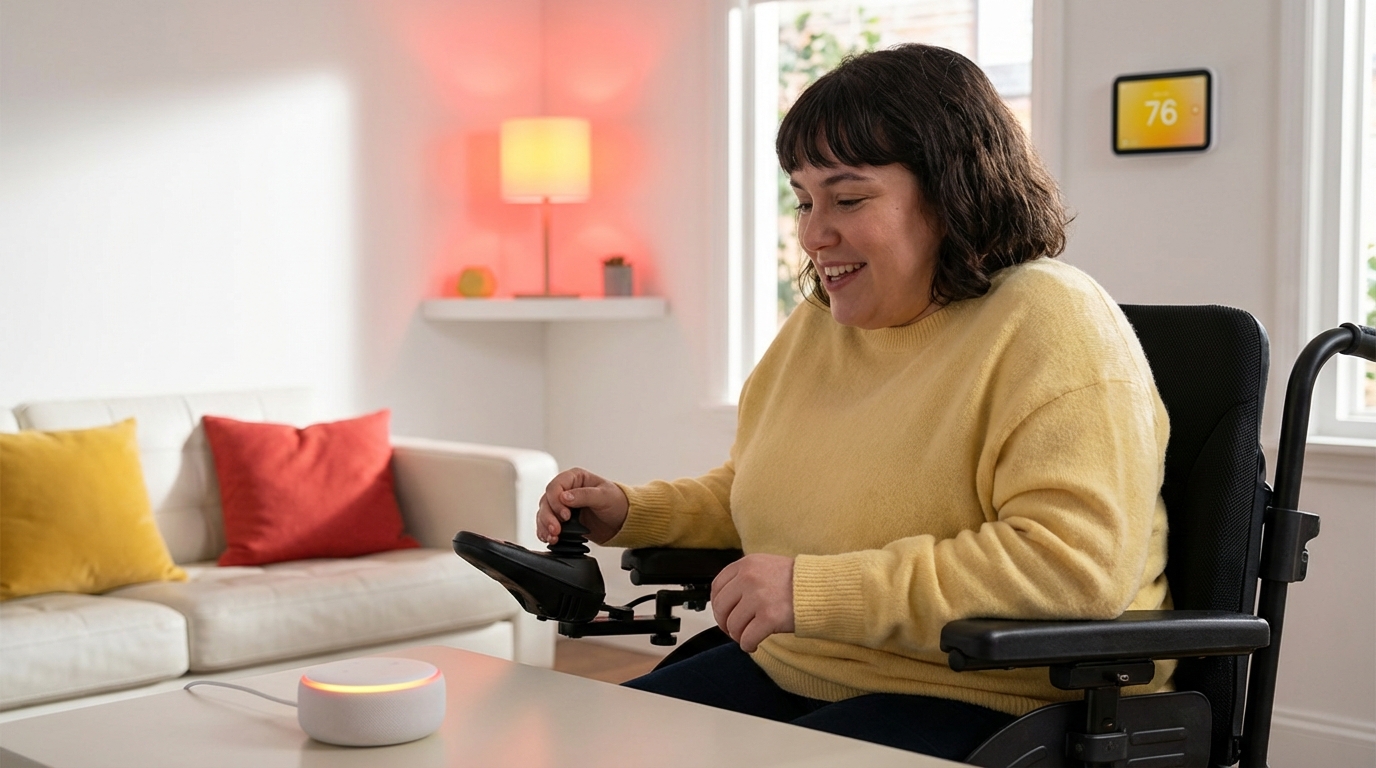
There are days when even the smallest task, like turning off a light across the room or changing the TV channel, can feel like too much. When our body does not move the way we wish it would, those constant little hurdles can be draining, frustrating, and lonely. Many of us reach a point where we think, “I should not have to struggle this hard just to live in my own home.”
You do not have to. The short answer is that smart home voice control can give a person with limited mobility more independence, comfort, and safety, while also easing the physical and emotional load on caregivers. With a few well-chosen devices and some gentle setup, a person can turn lights on and off, adjust the thermostat, lock doors, call for help, and control entertainment simply by speaking, without needing to reach switches or buttons.
Smart voice control is not about gadgets. It is about giving people more say over their own day, in a home that listens and responds when they speak.
How Voice Control Supports Independence With Limited Mobility
When we think about independence, we often picture big things like driving or walking outside alone. Yet, in daily life, independence is built from small moments: getting comfortable without help, choosing when lights are on or off, or deciding what to listen to or watch.
Smart voice control can support those small moments in several ways:
- Reducing the need to physically reach switches, remotes, or knobs
- Allowing safe control of the home while in bed or seated
- Making it easier to call for help without having to find a phone
- Giving caregivers peace of mind that the person can manage more on their own
When a person can say “Turn on the lights” instead of waiting for someone to come into the room, that tiny shift can feel like a real return of dignity and control.
Small Tasks That Add Up Over a Day
For someone with arthritis, paralysis, a neuromuscular condition, or fatigue, many movements are costly. Reaching, twisting, pushing, or standing up can cause pain or risk of falling. A day is filled with questions like:
- “Can I reach that light switch without losing my balance?”
- “Do I really want to get up again just to close the blinds?”
- “Is it worth the pain in my hands to change the TV channel?”
Smart voice control can take over many of those motions. The person can stay seated, supported, or in bed, and still shape the environment around them.
Emotional Relief for Both Person and Caregiver
There is a strong emotional side to this. When someone has to call out for help many times a day for small things, it can wear on self-esteem. It can also increase stress for family or paid caregivers who are juggling many responsibilities.
Voice control can ease this tension:
| For the person with limited mobility | For the caregiver |
|---|---|
| Less need to ask for help with small tasks | Fewer urgent interruptions for non-emergencies |
| More privacy and a sense of self-direction | Confidence that lights, locks, and temperature can be controlled safely |
| Less frustration about “waiting” for someone | More energy left for hands-on care and emotional support |
Good caregiving is not about doing everything for someone. It is about helping them do as much for themselves as they safely can. Voice control fits that spirit very well.
Key Parts of a Voice-Controlled Smart Home
All smart home systems share the same basic pattern: a way to listen to your voice, devices that respond, and a connection between them.
1. Voice Assistants: The “Ears” of the System
A voice assistant is the tool that hears what we say and sends commands to the right device. Common choices include:
- Amazon Alexa (Echo speakers, Echo Show displays)
- Google Assistant (Nest speakers, Nest Hub displays)
- Apple Siri (HomePod speakers, iPhone, iPad)
These assistants can:
- Hear voice commands like “Turn on the bedroom light” or “Lock the front door”
- Give spoken responses
- Trigger routines (sets of actions) with one phrase
The best option depends on what phones and devices the household already uses, and on personal comfort.
2. Smart Devices That Can Be Controlled by Voice
The voice assistant is only half of the picture. The other half is the devices around the home that can respond. Common ones include:
- Smart lights: Bulbs or switches that can turn on, off, or dim with voice
- Smart plugs: Plug-in outlets that let voice control lamps, fans, kettles, and some other appliances
- Smart thermostats: Set or change room temperature by voice
- Smart locks and doorbells: Lock doors, check door status, and see or hear who is at the door
- Smart TVs and streaming devices: Change channel, adjust volume, or start a show by voice
- Smart blinds and curtains: Open or close shades without pulling cords
- Voice-controlled phones or calling features: Make hands-free phone or video calls
3. The Connection: Wi-Fi and Smart Home Hubs
Most voice assistants and smart devices need:
- Reliable home Wi-Fi
- Power from a wall outlet
- Sometimes, a small hub device to connect certain brands or older devices
You do not need to make the home very complex. Many families start with only a smart speaker, a few bulbs, and maybe a smart plug. That is enough to begin to feel the difference.
Practical Ways Voice Control Helps Daily Life
To make this real, it helps to picture how a day can look with voice control in place. These examples are based on common needs we see in caregiving and home support.
Morning: Waking Up With Less Strain
For someone who has trouble sitting up, reaching a lamp, or walking across the room first thing in the morning, the day can start with a struggle.
Voice control can help with:
- Gentle wake-up lights: A routine turns on the bedroom light at a low level at a set time, and the person can say “Brighter” or “Dim the light” from bed.
- Checking the day: The person can ask for the time, weather, and schedule without reaching a phone.
- Warmth and comfort: Saying “Set the thermostat to 72” from bed, instead of walking to a wall control.
When the first actions of the day feel easier, the whole day often feels more possible.
Daytime: Comfort, Safety, and Daily Tasks
During the day, voice control can support both comfort and safety, especially for someone who spends a lot of time in a chair, bed, or one main room.
Some practical uses:
- Light control: “Turn on the living room lights,” “Turn off all lights,” or “Dim the lamp to 30 percent.”
- Door safety: “Lock the front door” or “Is the front door locked?” can be very helpful when getting up to check the door is hard or risky.
- Temperature: “Turn the heat up two degrees” or “Turn on the fan.”
- Medication reminders: Setting voice reminders like “Remind me to take my 2 pm medication” or “Remind Dad to check his insulin at 8 am.”
- Entertainment and connection: “Play relaxing music,” “Read my audiobook,” or “Call my daughter.”
Many voice assistants can also answer simple questions that support health and safety, such as “What time is it?” or “What is on my calendar?” without any touch.
Evening: Winding Down Safely
Nighttime is often when caregivers worry most. Falls are more likely in dim light. The person might feel hesitant to get up, but also anxious about the house being dark or unlocked.
Voice control can support a calmer evening:
- “Goodnight” routines: One spoken phrase can turn off living room lights, dim bedroom lights, lock the doors, and set a comfortable temperature.
- Bedside calls: If the person wakes and feels unwell, they can say, “Call my son,” or “Call emergency services” (where supported), without reaching a phone.
- Night lights: Being able to say “Turn on night light” before moving at night can reduce falls.
Support During Health Episodes or Flare-Ups
Someone with conditions like multiple sclerosis, COPD, heart failure, or chronic pain may have “bad” days where their mobility and stamina are much lower than usual.
On those days, voice control can:
- Reduce the number of times they must transfer, stand, or walk
- Let them stay in their safest, most supported position
- Help them keep control over small comforts even when their body feels weaker
This is especially meaningful for people who live alone or who have gaps between caregiver visits.
Choosing the Right Voice System for a Mobility-Limited Home
It can feel confusing to pick from many brands and choices. For caregivers and families, the goal is not to be perfect with technology. The goal is to choose tools that will actually be used, day after day.
Questions to Ask Before Buying
Think about these questions together with the person who will use the system:
- What are the hardest physical tasks in the home right now?
- Is the person comfortable speaking clear commands out loud?
- How is their hearing? Will they hear a spoken response from the device?
- Is privacy a major concern for them?
- What devices do we already own (phones, tablets, smart TVs)?
Then match the answers to what each platform offers.
Comparing the Main Voice Platforms
Here is a simple overview that focuses on home care needs rather than technical details:
| Platform | Strengths for limited mobility | Possible concerns |
|---|---|---|
| Amazon Alexa | Wide support for many smart devices, simple voice commands, options for “drop-in” calls between rooms, and devices with screens for video | Privacy concerns for some families; requires Amazon account and online setup |
| Google Assistant | Good for people who use Android phones; strong voice understanding; Nest Hub screens can show reminders, photos, and video calls | Some devices and features change over time; needs a Google account |
| Apple Siri | Good fit for households that already use iPhones or iPads; strong privacy focus; HomePod speakers work with Apple HomeKit devices | Smaller set of compatible smart devices; can be more expensive to start |
You do not have to choose the “best” one in some general sense. The best system is the one that the person can understand, tolerate, and accept in daily life.
Setting Up Voice Control With Limited Mobility in Mind
The same device can be easy or hard to use, depending on how it is set up. When we think with a caregiver mindset, we plan for safety, comfort, and cognitive load.
Placing Devices Where They Are Truly Helpful
For voice control to work, the person must be heard by the device. That means thinking about:
- Distance: Place speakers or displays within speaking distance of where the person spends time, such as near the bed, main armchair, or wheelchair docking spot.
- Noise: Avoid placing the main device directly next to loud TVs or fans that can drown out speech.
- Height: For devices with screens or buttons, place them at a height that can be seen from a seated or lying position.
You can often start with:
- One device in the main living area
- One device in the bedroom
Later, another small speaker can be added, such as in the bathroom or hallway, if it feels useful.
Designing Simple and Easy-to-Say Commands
Complex phrases can be tiring or confusing. Short, natural language works better. Some tips:
- Use plain terms like “bedroom light” or “TV,” instead of brand names.
- Choose commands that match how the person already talks. For example, “Turn off my lamp” rather than “Deactivate lighting scene one.”
- Test voice commands when there is background noise, so you know what works in real life.
The best smart home is one that feels intuitive. The person should be able to speak as they normally do, not learn a new technical language.
Creating Helpful Routines for Daily Life
Routines (sometimes called “scenes”) are a set of actions that happen together after a single command.
Some examples that often work well for mobility support:
- “Good morning”: Turns on bedroom light to 50 percent, sets thermostat to daytime level, reads out the time and weather.
- “Movie time”: Dims living room lights, closes smart blinds, turns on TV and sets the input.
- “Goodnight”: Turns off all lights except a bedside night light, locks doors, lowers thermostat a few degrees.
- “I am leaving” (for caregivers): Turns off all lights, sets thermostat to away mode, confirms doors are locked.
Keep routines simple at first. It is better to have one or two reliable routines than a long list that no one remembers.
Safety, Privacy, and Ethical Concerns
When we bring microphones, cameras, and locks into a home, we have to balance convenience with safety and dignity.
Voice Control for Locks and Security
Smart locks and video doorbells can be very helpful:
- A person who cannot reach the door can still lock it.
- Caregivers can check if doors are locked without walking around the whole home.
- A person can see or hear who is at the door before deciding to open it.
At the same time, there are risks:
- Someone outside might hear a voice command through a window.
- If the assistant accepts any voice, a visitor could attempt to unlock the door by voice.
To reduce these risks:
- Turn off voice unlocking if that feels safer, and use voice only to check lock status or to lock doors.
- Use PIN codes or multi-step confirmations for unlocking actions.
- Place speakers away from open windows when possible.
Respecting Privacy and Consent
For many people, the idea of a device that “listens” is uncomfortable. They might worry about being recorded or watched.
Steps that help:
- Explain clearly what the device does and does not do.
- Physically show the microphone off button and how to use it.
- Talk openly about what data is stored and how to review or delete it.
- Only add cameras (such as baby monitors or indoor security cameras) with clear consent, and explain who can see the video.
It is better to accept a smaller set of features than to push someone into a system that makes them feel watched in their own home.
Voice Fatigue and Alternative Controls
Not everyone can speak loudly or clearly all day. Conditions like ALS, stroke, or Parkinsons can affect speech. Some days, even talking can be tiring.
A thoughtful setup might include:
- Physical backup buttons or remotes that sit in easy reach, to avoid relying only on voice.
- Smartphone or tablet apps that allow tap control from a wheelchair or bed.
- For some, integration with assistive communication devices or switches, depending on local therapists and technology support.
This way, the person is not trapped if the system fails to hear them or if their voice is weak.
Balancing Caregiver Access and Personal Independence
For many families, there is a tension between wanting to monitor a loved one for safety and wanting to respect their independence. Smart home tools can either smooth this balance or make it worse if not handled carefully.
Remote Access for Caregivers
From a distance, a caregiver might:
- Check if doors are locked.
- Check if certain lights are on overnight.
- Adjust temperature if the person forgets or cannot manage it.
- Start a calming music playlist if they know the person is anxious.
Remote access can be very calming for adult children who live far from aging parents.
Yet there are risks:
- Caregivers might change things in the home without saying anything, which can feel unsettling to the person living there.
- Over-monitoring can chip away at a sense of privacy and trust.
It helps to agree on clear guidelines:
- Which devices can the caregiver control remotely?
- Are there times of day when they will not change things unless there is an emergency?
- How will they communicate about changes (for example, send a quick text if they adjust the thermostat)?
Respectful Language and Shared Control
The way we talk to and about a person shapes how all this feels. We can ask:
- “How would you like to use this?” instead of “You need this.”
- “Does this routine work for you, or should we change it?” instead of “This is easier for us.”
Where possible, give the person clear control options:
- The ability to mute the microphone when they want privacy
- A say in which rooms have speakers or cameras
- Control over who can “drop in” with two-way voice or video
Smart home care should be something done with the person, not to the person.
Costs, Planning, and Starting Small
Technology for the home can be expensive, but many families are surprised by how much difference a few well-chosen pieces can make.
Typical Cost Ranges
Costs vary by brand and country, but this rough guide can help with planning:
| Item | Approximate cost range (per item) | Notes |
|---|---|---|
| Smart speaker (voice only) | Lower to mid price range | Basic voice control; often the starting point |
| Smart display (screen + speaker) | Mid to higher price range | Good for video calls, visual reminders, and pictures |
| Smart bulbs | Lower to mid price range each | Need one per fixture, unless using lamps with smart plugs |
| Smart plugs | Lower price range each | Cost-effective way to control lamps and small devices |
| Smart thermostat | Mid to higher price range | Usually needs professional or skilled installation |
| Smart lock | Mid to higher price range | Professional installation recommended for safety |
| Smart blinds | Higher price range | Very helpful but often one of the more expensive upgrades |
Prices also change with sales and bundles, so watching for discounts can help.
Starting With the Highest-Impact Changes
Before buying several devices, ask: “What one or two things cause the most daily strain right now?”
For many homes, the first high-impact areas are:
- Bedroom lighting: Turning lights on and off from bed.
- Living room lighting and TV: Reducing the need to reach remotes and switches.
- Thermostat: Helping someone who is often too cold or too hot.
A simple starter setup could be:
- One smart speaker in the main room.
- Two or three smart bulbs or plugs for the most used lamps.
- Optional: One smart display in the bedroom for video calls and alarms.
Once this is working smoothly, you can add more, step by step.
Working With Health and Support Professionals
Many families try to handle all of this on their own and feel overwhelmed. There is no need to do that if help is available.
Who Might Be Able to Help
Depending on the region, the following people may have knowledge and support to offer:
- Occupational therapists: Can assess how smart devices fit into daily routines and safety plans.
- Assistive technology specialists: Understand how to match devices to physical and cognitive abilities.
- Local aging services or disability organizations: May run programs, training, or lending libraries for smart home tools.
- Home health agencies: Some caregivers are trained to work with basic smart home setups.
If you work with an occupational therapist or case manager, ask them to include smart home planning in the home safety assessment.
Training and Practice Time
Any change, even a helpful one, can feel stressful at first. People need time to get used to speaking commands and trusting that the system will respond.
Things that help:
- Practice together at a calm time of day, not during a crisis.
- Start with a small set of commands and routines.
- Write simple cue cards with phrases like “Turn on the lamp” to keep next to the chair or bed.
- Check in after a week or two to change anything that is confusing or annoying.
Patience is part of the process. It is common to need several days or weeks before the system feels natural.
Adapting Voice Control for Different Conditions
Limited mobility can come from many causes, and each brings different needs. There is no single setup that fits everyone.
For People With Progressive Conditions
Conditions like ALS, muscular dystrophy, or multiple sclerosis may cause gradual changes in strength and speech.
Planning ahead might include:
- Starting with voice control while speech is still clear, so the system feels familiar.
- Keeping an eye on features that may support future needs, such as switch access or partner control.
- Linking smart home plans with broader care planning, so new needs do not catch the household by surprise.
For People With Cognitive Changes
For someone living with dementia, brain injury, or other cognitive shifts, simplicity is key.
Practical steps:
- Limit the number of commands they need to remember.
- Use very clear, familiar names (“bed light,” “TV”) instead of many different zones.
- Avoid routines that might confuse them, such as lights changing in complex ways all at once.
- Support with written or picture prompts if useful.
In some cases, caregivers may use smart devices more than the person themselves, to support safety and comfort quietly in the background.
For People With Hearing or Speech Changes
When hearing is reduced:
- Use devices with screens that can show confirmations in text.
- Connect smart devices to hearing aids or other audio devices where possible.
- Keep visual cues, like lights flashing briefly when a command is accepted.
When speech is affected:
- Spend time training the system to that specific voice, where possible.
- Try adjusting microphone distance and room noise.
- Keep alternative ways of control ready, like smartphone apps or physical switches.
In some cases, it may be kinder not to rely heavily on voice control if it only leads to repeated failure and frustration.
Signs That Voice Control Is Truly Helping
It is fair to ask: “How do we know if this is worth the effort and cost?”
Some signs that the system is serving its purpose:
- The person asks for less hands-on help with small physical tasks.
- They use voice commands without prompting in their daily routine.
- There are fewer risky trips in the dark or rushed movements.
- Caregivers report less stress around “running back and forth” for non-urgent tasks.
- The home feels calmer, with fewer arguments or tensions about minor things.
If, instead, the system causes confusion, arguments, or frequent failure, it may be time to simplify or change the setup.
Technology should feel like a quiet helper in the background, not another demanding “thing” that makes life harder.
By listening carefully to the person with limited mobility, being honest about the real needs in the home, and taking small, steady steps, smart home voice control can become more than a gadget. It can become one more way we support dignity, comfort, and shared peace of mind in daily caregiving.